
AI Doctor Symptom Checker: How to Check Your Symptoms Step by Step
An AI symptom checker walks you through your symptoms and shows possible causes in minutes, but only if you use it the right way. You can talk to an AI doctor by entering your age and sex, describing your symptoms, answering a few follow-up questions, and reading the list of possible causes plus a suggested urgency level. Keep each answer specific — vague input produces a vague result.

An AI doctor is not a substitute for a licensed physician and does not provide a diagnosis. For medical emergencies call 911. Use it to understand your symptoms and prepare for a real appointment, not to self-treat.
What an AI Doctor Symptom Checker Actually Does
An AI symptom checker is a digital triage tool, not a diagnostic authority. It takes what you enter, runs it through a model trained on clinical data, and returns a ranked list of possible causes along with one of four next steps:
- Self-care at home
- See a doctor (non-urgent)
- Urgent care
- Emergency room
Understanding that distinction changes how you should read the output.
It’s a triage tool, not a diagnosis
An AI-powered symptom checker maps the symptoms you enter to a ranked list of possible causes and a suggested next step. It does not confirm a diagnosis, and no legitimate tool claims otherwise. Symptomate, built on the Infermedica engine, has run more than 27 million interviews modeled on over 155,000 hours of doctors’ clinical work. Isabel Healthcare has offered a machine-learning-based self-triage tool since 1999 and now operates across more than 90 countries in 14 languages.
How the AI works under the hood
Modern checkers rely on machine learning and, increasingly, large language models — DxGPT, for instance, runs on GPT-4o and o1 — trained on clinical datasets and validated by physicians. Ubie draws on more than 50,000 clinical data sources reviewed by over 50 supervising doctors. The AI weighs your answers against known symptom patterns, but it cannot examine you, order labs on its own judgment, or feel your abdomen the way a clinician would. According to the National Library of Medicine, symptom checkers are decision-support tools meant to inform, not replace, professional medical evaluation.
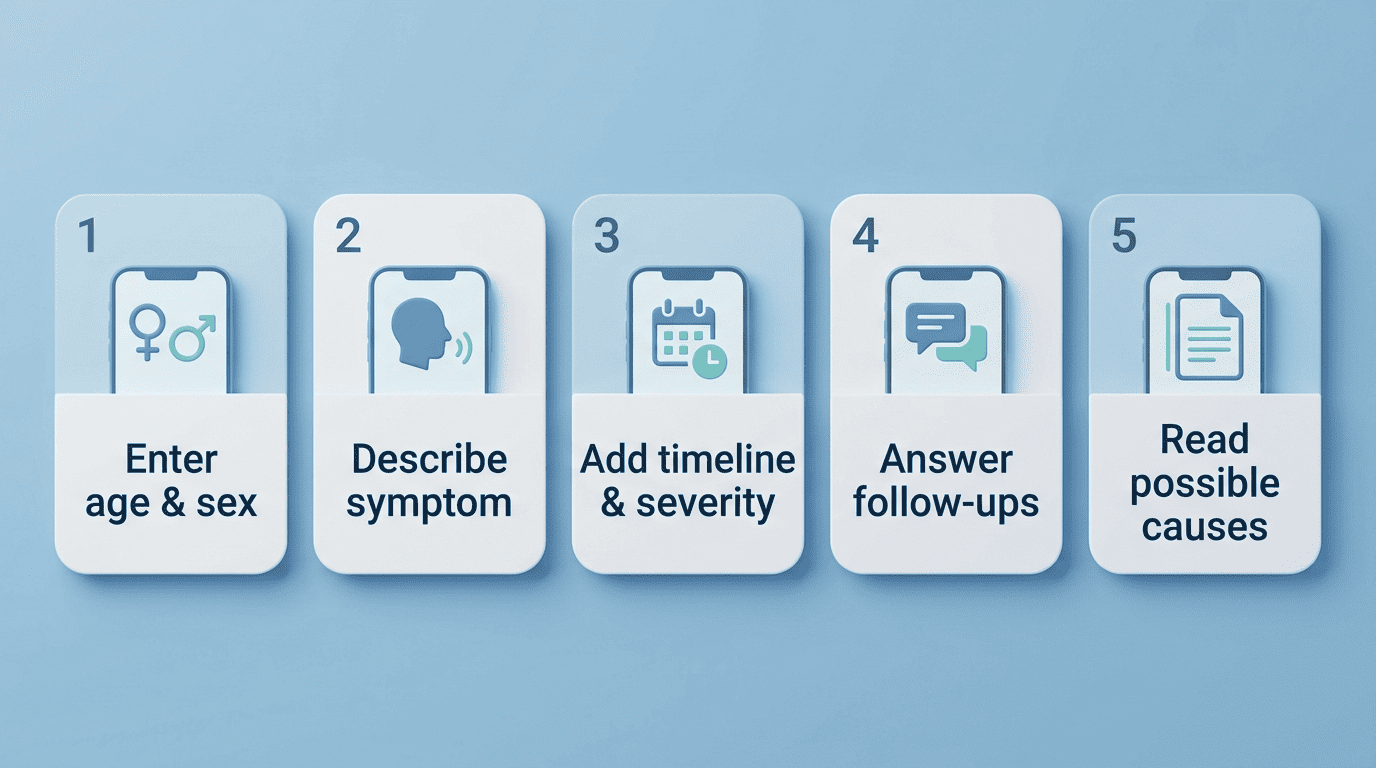
How to Check Your Symptoms: Step by Step
Every reliable digital triage tool follows roughly the same sequence: basics, main complaint, timeline, follow-up questions, results. Ubie’s questionnaire takes about three minutes, WebMD requires your age, sex, and a body-map selection, Docus runs a three-step describe-answer-insights flow, and Isabel’s self-triage covers about 11 standard questions in under a minute. Here is how to move through that sequence correctly.
- Enter your basics — age, sex, and body area. Every reputable checker starts here because both age and biological sex change the likely causes. WebMD lets you pick the symptom by body location on a body map. Answer honestly — the AI’s ranking is only as good as your inputs.
- Describe your main symptom clearly. State the primary symptom in plain words, such as “sharp lower-right abdominal pain,” not a self-guessed condition. Ubie’s questionnaire takes about three minutes; Docus uses a three-step flow of describe, answer questions, then get insights.
- Add timeline, severity, and triggers. Note when it started, how bad it is on a 1-10 scale, and what makes it better or worse. Doctronic flags a fever above 101.3°F combined with severe headache and neck stiffness as a red-flag combination, and keeping a simple symptom diary gives the AI (and your doctor) a clearer timeline than trying to recall it from memory later.
- Answer the follow-up questions. The AI asks clarifying questions to narrow the list — Isabel’s self-triage uses about 11 standard questions in under a minute. Don’t skip them; each answer reshapes the possible causes.
- Read the results as possibilities, not verdicts. You get a ranked list of possible causes and a suggested urgency level. Treat it as a starting point for a conversation with a real clinician, never as a final answer.
How to Check Multiple Symptoms at Once
A single symptom rarely tells the full story, and the better online symptom checkers are built to handle several at once. Getting this part right matters as much as the individual answers you give.
Enter symptoms together, with their relationships. Good checkers, including Docus and Doctronic, let you add several symptoms at once and analyze how they relate to each other rather than scoring each one in isolation. Doctronic reports that three or more symptoms appearing within 48 hours point to a viral infection in 60-70% of cases, while conditions that build gradually over two to four weeks suggest something chronic instead.
Track the pattern before you check. Record each symptom’s start time and intensity so the AI can read the progression rather than a snapshot. The temporal pattern — which symptom came first, what followed, how it evolved — is often more telling to a diagnostic assistant than any single symptom on its own.
| Symptom pattern | Typical timeframe | What it may suggest |
|---|---|---|
| 3+ symptoms appearing together | Within 48 hours | Viral infection (60-70% of cases) |
| Symptoms building gradually | 2-4 weeks | Chronic condition |
| Fever above 101.3°F | Any onset | Red flag — seek care sooner |
| Single, isolated symptom | Days to weeks | Broader range of possible causes |
How Accurate Are AI Symptom Checkers?
Accuracy is the question people ask most about any AI health assessment, and the honest answer is that it varies by tool and is measured in a specific way — not as a simple right-or-wrong score.
What the studies show
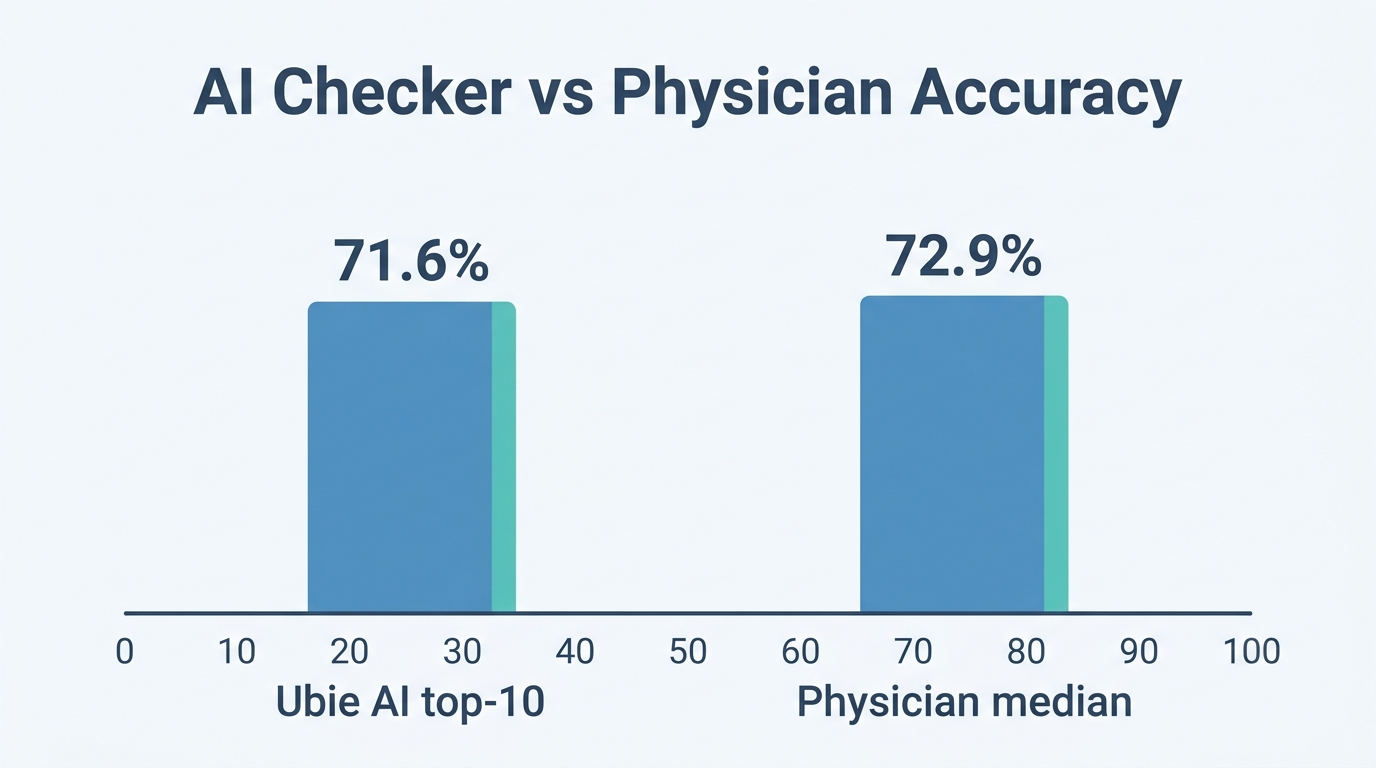
Accuracy is typically reported as a “hit rate”: whether the correct condition shows up somewhere in the tool’s top results, not whether the tool names it first. A 2024 medRxiv study found Ubie’s top-10 hit accuracy at 71.6%, outperforming the comparator symptom checkers tested in the same study and coming close to the median physician hit accuracy of 72.9% on the same case set. A separate 2024 medRxiv study on DxGPT found its top-5 accuracy comparable to that of hospital clinicians reviewing the same pediatric cases. The U.S. Food and Drug Administration frames this entire category of software plainly in its clinical decision support guidance:
Clinical decision support software is intended for the purpose of supporting or providing recommendations to a health care professional about prevention, diagnosis, or treatment of a disease or condition.
U.S. Food and Drug Administration
That framing applies to consumer-facing checkers too: they are decision-support software, not diagnostic authorities. These are top-N hit rates measured against known diagnoses in retrospective case sets, not confirmed real-time diagnoses.
Where AI checkers fall short
An AI diagnostic assistant can miss rare conditions, over-triage anxious users into unnecessary urgency, or under-triage a serious symptom that doesn’t fit common patterns. It cannot perform a physical exam, listen to your lungs, or read your labs and imaging. That is exactly why the output is a possibility list, and why weighing an AI doctor versus a real doctor always ends the same way: a licensed clinician still has to confirm anything before treatment begins.
What to Do With Your Results
The results screen is only useful if you act on it correctly, and that means matching the urgency level to a real-world action rather than treating every list the same way.
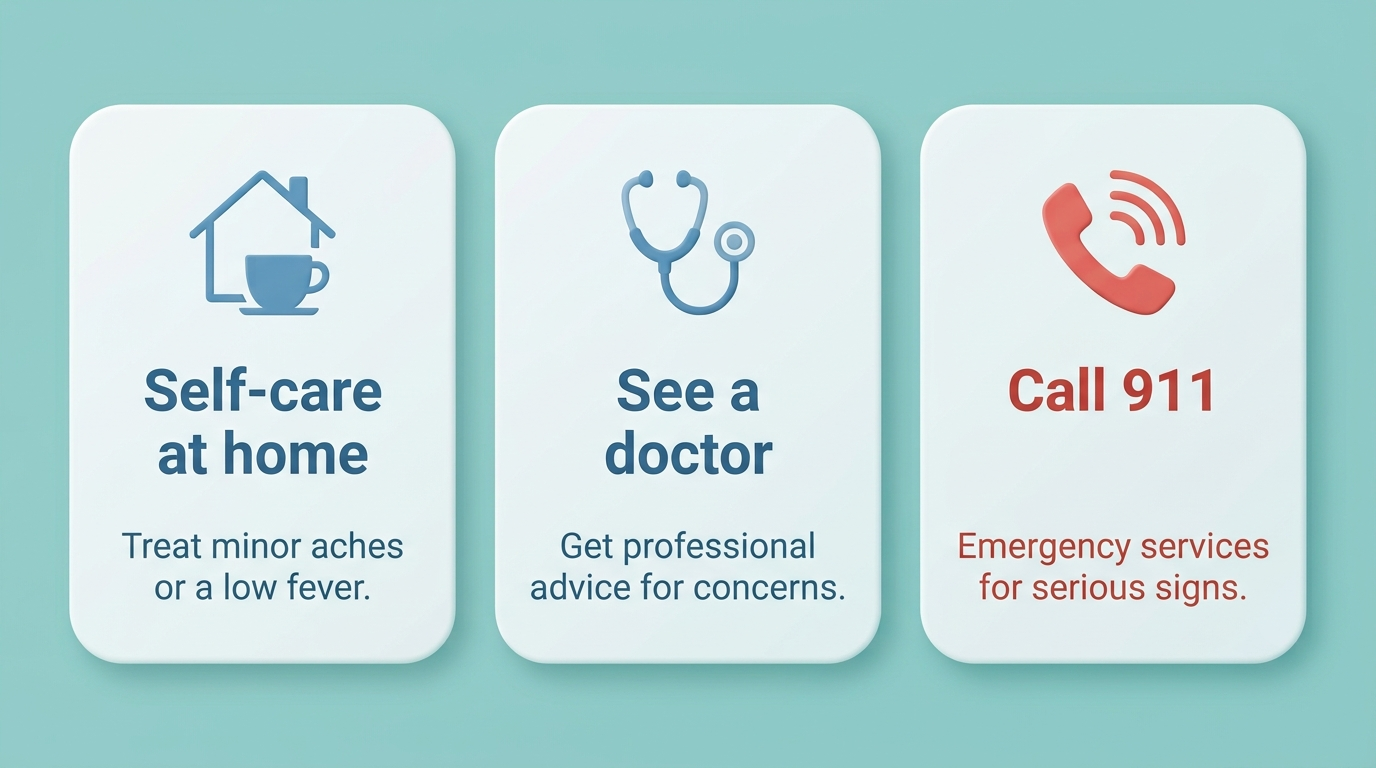
Match the urgency to the action
If the checker flags emergency-level symptoms, stop and call 911 immediately rather than continuing to browse results. Emergency-level red flags typically include:
- Chest pain or pressure
- Trouble breathing
- Sudden weakness or numbness on one side of the body
- Severe or uncontrolled bleeding
- Sudden confusion or loss of consciousness
For non-urgent results, book a real appointment and bring the AI’s summary with you rather than trying to resolve things on your own.
| Urgency level | Typical action |
|---|---|
| Emergency | Call 911 immediately |
| Urgent, non-emergency | Same-day urgent care or telehealth visit |
| Non-urgent | Schedule a regular appointment |
| Self-care | Monitor at home, recheck if it worsens |
Use the AI summary to prep for your doctor
Bring the list of symptoms, the timeline, and the possible causes to your visit — it makes the appointment faster and more focused, since your doctor spends less time on basic intake. It also helps you understand what your diagnosis means once the visit is over and your doctor has weighed in. Many people run through an AI symptom checker the night before an appointment specifically to organize their thoughts before they see a real physician.
Privacy and Safety When Using an AI Doctor
Before you type sensitive health details into any tool, it’s worth knowing what happens to that data and whether the platform carries any formal certification.
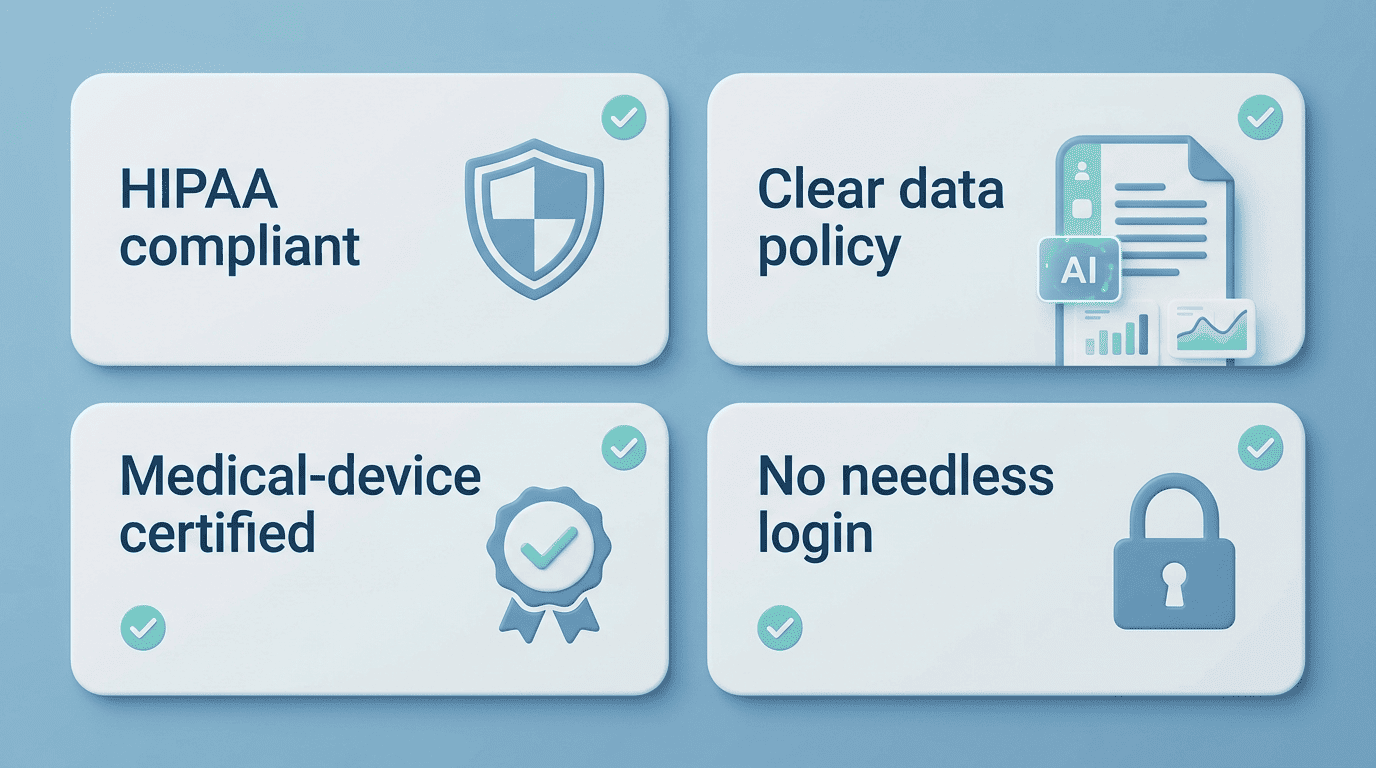
Check for HIPAA and clear data policies
Look for a clear, published data policy before you enter any health information. Signals worth checking include:
- HIPAA compliance statements — Doctronic and Docus both state HIPAA compliance directly.
- Additional certifications — Docus also lists SOC 2 and GDPR coverage alongside HIPAA.
- Medical-device certification — Symptomate is registered as a Class IIb medical device in the EU and holds ISO 13485 certification.
- No-login, anonymized-by-default options — DxGPT doesn’t require login, and it anonymizes sensitive details before anything is stored, in line with its GDPR- and HIPAA-aligned privacy policy.
Closing safety note
An AI doctor is not a substitute for a licensed physician and does not provide a diagnosis. For medical emergencies call 911. Always consult a real, licensed doctor before acting on any result from an online AI doctor — the tool is there to prepare you for that conversation, not to replace it.